How to Use DeepSeek V4 Pro for Image-to-Video Prompts: A Practical Shot-Planning Workflow
Use DeepSeek V4 Pro to turn a loose creative brief into a first-frame plan, motion direction, camera path, and preservation constraints for more controllable image-to-video generations.
The frustrating thing about a weak image-to-video prompt is not that it is short. It is that, after a bad generation, nobody can tell what to change.
A brief such as “make this skincare product look premium, cinematic, smooth, and summery” may sound specific, but it bundles the product, visual mood, subject motion, camera work, and desired finish into one vague instruction. If the label warps, the camera drifts, or the scene suddenly changes, the usual response is to pile on more adjectives. That makes the next attempt even harder to diagnose.
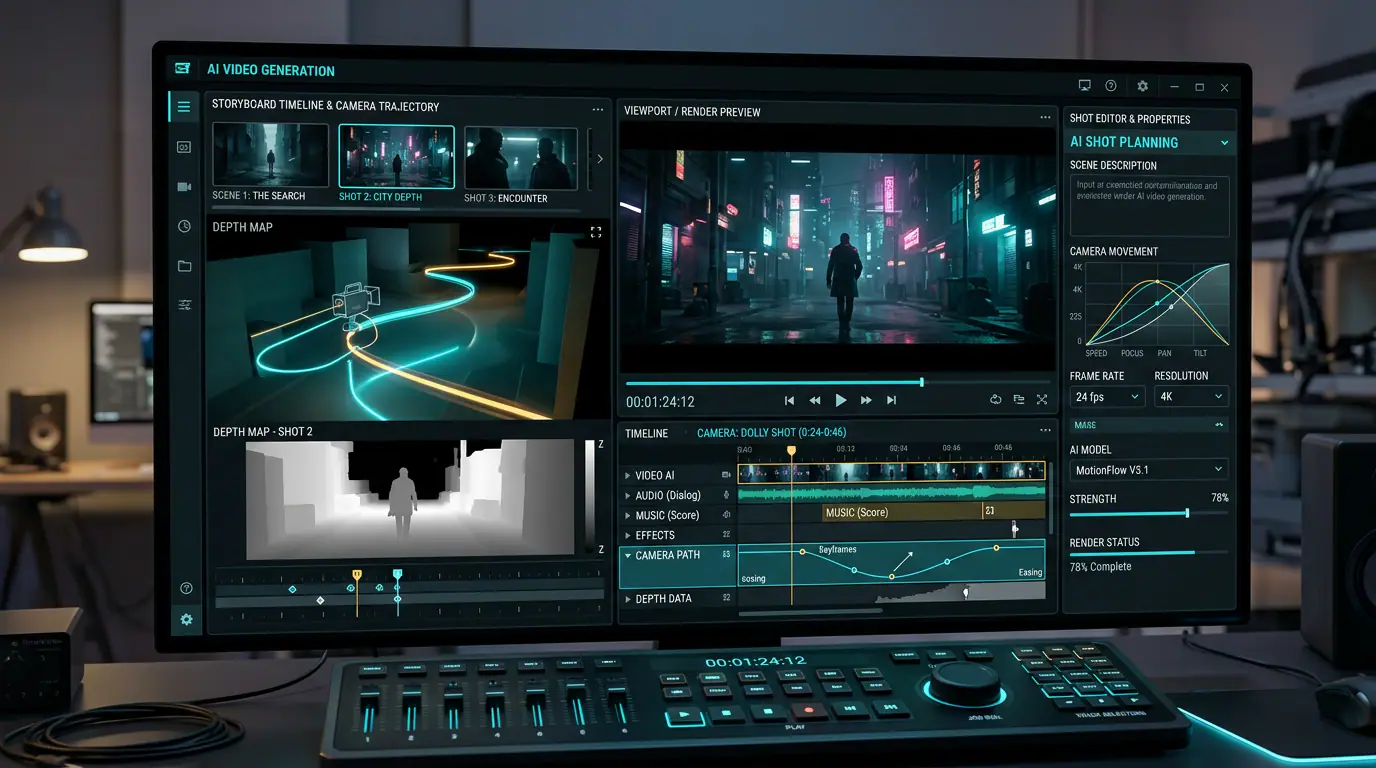
A more reliable approach is to turn the idea into a shot plan before you generate anything. That is a useful role for DeepSeek V4 Pro. It is not a video generator; it is the planning layer that can turn natural-language direction into shot choices, motion sequencing, and constraints. DeepSeek positions V4 Pro for more demanding agent-style workflows, while its official model card documents low, high, and max reasoning-effort settings. In practice, that makes it useful for a two-pass process: create a fast first brief, then use deeper reasoning only where the brief contains real conflicts or fidelity risks.
Start with one useful assumption: the first frame has already done part of the prompting
In image-to-video work, the uploaded image is not merely a reference. It is the first frame. It already establishes the subject, composition, lighting, visual style, and much of the product identity.
Your text prompt should therefore spend most of its energy on what happens next. Repeating that a bottle sits on black marble under golden light does little if the first frame already shows a bottle, black marble, and golden light. It is usually more effective to specify the subject action, camera path, and timing. Runway’s image-to-video prompting guide makes the same distinction: let the image establish the visual facts, and use the text to describe motion and camera work.
For a product demo, social clip, or concept spot, a useful shot plan only needs to answer five questions.
| Shot-plan field | What you need to decide | What goes wrong when it is missing |
|---|---|---|
| First-frame facts | Which shapes, labels, proportions, positions, and colors must stay unchanged? | The model redraws or shifts a recognizable product detail. |
| Subject action | What moves, where does it begin, and where does it end? | Every element seems to move at once, and the visual priority disappears. |
| Camera path | Is the camera pushing in, panning, orbiting, looking down, or locked off? | Several camera ideas compete and the shot feels unstable. |
| Environmental change and pace | How should steam, reflections, wind, particles, or other secondary motion develop over time? | The background becomes distracting or changes without a clear reason. |
| Preservation and exclusions | What must not change, and what must not appear? | The model “improves” the scene by adding objects or changing product details. |
One short clip should usually have one primary subject action and one primary camera move. If you need a push-in, an orbit, a whip pan, an unboxing moment, a person entering frame, and a scene change, divide them into separate shots instead of asking one generation to resolve all of them.
Use DeepSeek V4 Pro as a shot planner, not an adjective generator
Avoid asking DeepSeek to “write an amazing video prompt.” That invitation often produces a longer version of the same vague brief. Ask it to identify what is missing, what conflicts, and what the model must preserve.
Copy the prompt below into DeepSeek V4 Pro and replace the bracketed details with your own project. A low-effort pass is often enough to create an initial shot plan. If your project involves brand fidelity, sequential action, or several non-negotiable constraints, use a higher reasoning setting for the review pass. The goal is not to make the model think longer by default; it is to spend more effort only on the parts of the brief that need conflict checking.
You are an image-to-video shot planner. Turn the creative brief below into an executable shot plan.

Inputs:
- First-frame content: [describe the product, person, or scene already visible]
- Creative objective: [for example: an 8-second vertical skincare ad]
- Must preserve: [bottle proportions, label placement, brand colors, etc.]
- Must avoid: [hands, extra text, a second product, abrupt cuts, etc.]
- Audience and tone: [for example: minimal, premium, fresh]

Return the following, in order:
1. Ambiguities, conflicts, and missing information in the brief;
2. A one-sentence shot intention;
3. The visual facts in the first frame that must remain unchanged;
4. Subject motion, environmental motion, camera motion, and pacing;
5. An English motion prompt for an image-to-video generator, limited to 90 words;
6. Two variants that each change only one variable;
7. The three most likely failure modes and a fix for each.

Rules: Do not invent brand elements that are not visible in the first frame. Specify only one primary camera move. If a preservation constraint conflicts with the creative objective, identify the conflict instead of forcing an answer.
The value of this prompt is that it asks the model to explain why the output may be uncertain before it writes polished prompt language. Imagine that your first frame shows a matte white serum bottle and your original brief says only “summer, refreshing, water droplets, premium.” A useful shot plan narrows that to something testable: the bottle remains still; condensation slowly forms; the camera makes a smooth macro push-in from texture detail to the full bottle; blurred leaves move slightly in the background; the label, cap, and proportions remain unchanged; no hands, text, or extra product appears.
Turn the shot plan into the instruction a video model can execute
Do not paste the full shot-plan table into your generator. What the generation step needs most is the motion layer. The serum example above can become this:
The camera makes a slow macro push-in toward the uploaded serum bottle as condensation beads gradually form on its surface. Soft, out-of-focus leaves sway gently in the background. Preserve the exact bottle shape, cap, label placement, colors, and proportions. Continuous seamless shot; no hands, no extra products, no text, no redesign.
Three choices make this prompt easier to test. The first sentence describes the camera and main subject motion. The second adds environmental motion that will not compete for attention. The final sentence handles fidelity and exclusions. It does not repeat material or lighting details that the first frame has already made clear, and it avoids untestable phrases such as “epic,” “cool,” or “stunning.”
To run the shot, open Image to Video AI, upload a clean first frame, paste the motion layer into the prompt field, and adjust the aspect ratio, resolution, duration, or frame rate available for the model you choose. Start with a short clip. Review which variable is actually affecting the result before you extend the duration or change the shot. The image establishes the scene, DeepSeek removes ambiguity, and the generator turns the defined motion into a clip you can preview.
Use this short camera-motion primer as a reference before you write your next prompt:
<iframe width="100%" height="420" src="https://www.youtube.com/embed/7GWd4PV3hoA" title="AI video camera-movement prompting primer" frameborder="0" allow="accelerometer; autoplay; clipboard-write; encrypted-media; gyroscope; picture-in-picture; web-share" allowfullscreen></iframe>
When a generation fails, do not rewrite everything
The fastest way to lose the thread is to replace your entire prompt after every bad result. You then have no way to tell which edit fixed the problem. Instead, map the failure back to one field in the shot plan and change only that field.
Failure mode 1: the camera is moving everywhere
This is rarely because the prompt is not “cinematic” enough. It usually means too many camera directions are competing. Remove parallel moves such as orbit, push-in, pan, and tilt until one remains. For example, change “the camera rapidly orbits, pushes in, then tilts upward” to “the camera slowly and steadily pushes in.” If you need an orbit, make it the next shot.
Runway’s camera-terms example library pairs specific shot language with prompt examples and outputs. The practical lesson is simple: make one path clear before you add complexity.
Failure mode 2: the background changes or product details drift
Return to the first-frame facts. An input image with dust clouds, strong motion blur, or a leaning composition may already imply movement. Asking the product to be completely still can create conflicting signals. Try a cleaner first frame with a more distinct subject, or remove the contradictory instruction.
Then state preservation requirements in observable terms. “Keep the label placement, bottle proportion, and cap structure unchanged” is more actionable than “do not distort.”
At this point, you can return the generated clip, a screenshot, and the original prompt to DeepSeek V4 Pro with a focused follow-up:
Compare my first-frame facts, shot plan, and generated result.
Identify only one conflict that is most likely causing the failure, then provide a replacement prompt that changes only that conflict.
Do not introduce new style words, characters, camera moves, or locations.
This may feel conservative, but it makes iteration measurable. You know that the last test changed the camera path rather than the first frame, duration, background, and product description all at once. The next test can begin from a specific hypothesis instead of another round of guesswork.
Use this 30-second pre-publish check
Before you download a final version, review the clip in this order. It catches many cases where the prompt looks fine on paper but the footage is not usable.
| Check | Ask yourself | First fix to try |
|---|---|---|
| Subject | Can a viewer identify the hero subject in the first two seconds? | Remove distracting environmental action and extra objects. |
| Action | Can the main action begin and finish naturally within the selected duration? | Shorten the action or increase duration; do not ask for two large actions at once. |
| Camera | Can you describe the camera as doing one main thing? | Keep one of push-in, pan, orbit, or locked-off framing. |
| Fidelity | Are the product’s proportions, label, color, and key structure still correct? | Revisit the first frame, add precise preservation terms, and remove instructions that invite a redesign. |
Treat the prompt like a small, reviewable shoot
The original “premium, smooth, summer” brief was never a bad idea. It was simply still in creative language. Once you turn it into a shot plan, you gain a set of decisions you can actually test: what the main action is, what the main camera move is, which details the first frame must retain, and which field to change after a failed result.
DeepSeek V4 Pro handles the clarification, decomposition, and review. Image to Video AI gives you a place to execute the defined motion and inspect the clip. The next time a generation misses, resist the urge to add another string of adjectives. Choose a strong first frame, make a five-part shot plan, test one camera move, and learn from one controlled change at a time.