
1 in 65 million
Play a browser-based Thai life simulator from birth to the next generation.

Free 4D, 3D and 5D chess in your browser. No download, no sign-up.
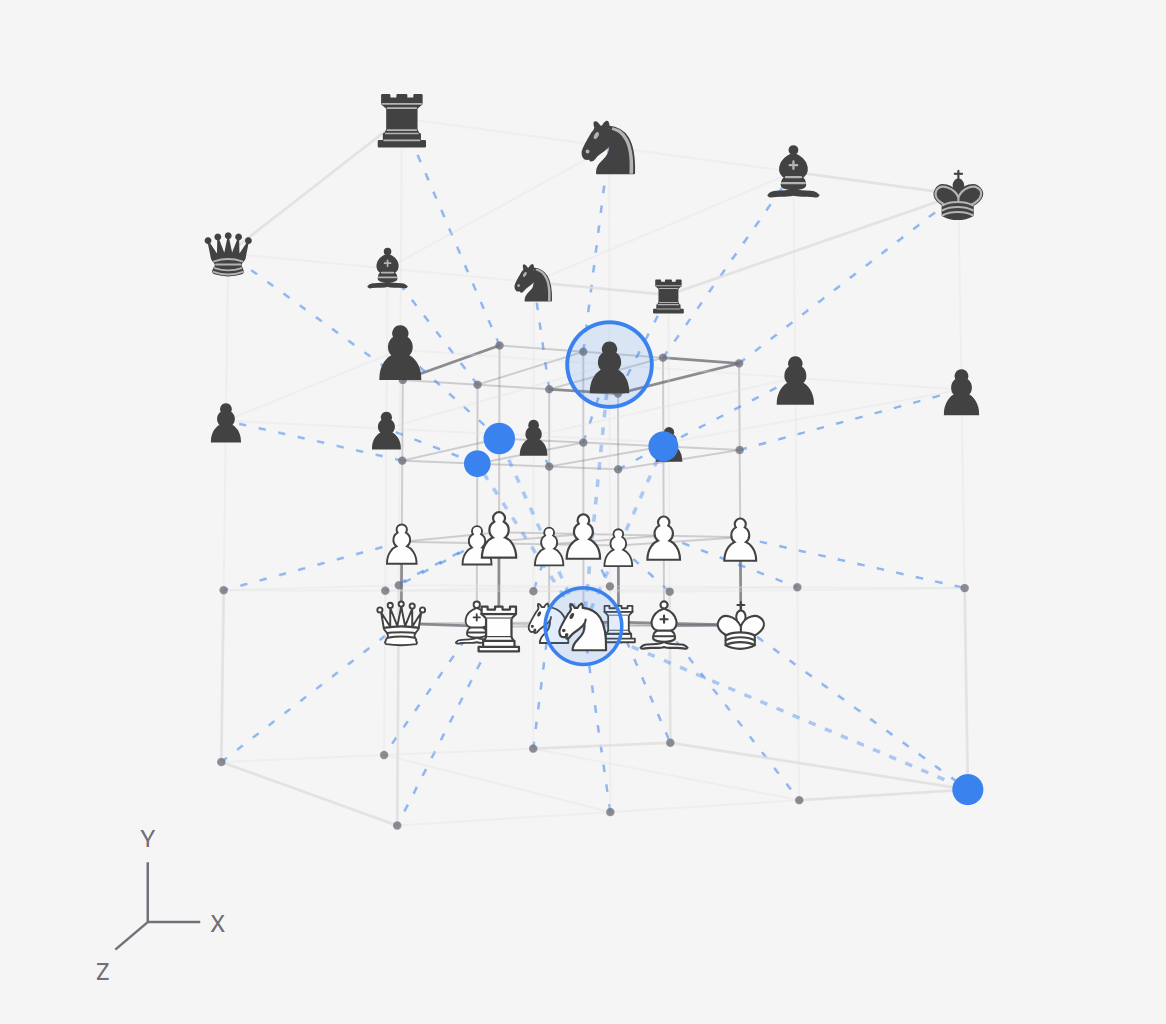
Chess4D is a free browser chess site with three ways to play. It covers a four-dimensional board, standard chess in 3D, and an experimental five-dimensional time-travel ruleset. There is no download and no account, so you can open a game and start playing straight away.
The 4D room plays on a 4 × 4 × 2 × 2 board with X, Y, Z and W axes. The 3D room plays standard 8 × 8 chess on a board you can rotate. The 5D room lets pieces move into the past, which opens a new branch while the original history stays intact.
Players who know standard chess can learn how familiar pieces move across extra axes. The 20-piece army keeps the first games small, and the labeled slices show where each square sits.
The 3D room plays full chess rules, including castling and en passant. A practice computer or Stockfish can be the opponent, and local analysis helps you explore candidate moves.
Chess4D is free to open and free to play. The site describes all three modes as free, and no download or sign-up is needed for any of them.
No. Choose local two-player mode to share one device. The site does not currently connect opponents on separate devices or offer online matchmaking.
4D games can be restored after saving on this device, exported as JSON backups, or saved manually to an account for another device. 5D games save locally with their own backups. Standard 3D chess lasts only for the open page session.
Play a browser-based Thai life simulator from birth to the next generation.

Free tools to solve, create, print, and play word puzzles

Free daily Queens logic puzzles and unlimited practice

Change a word. Reach POOP.

Pick six favorites. Build your dream Pokemon team.

Ad‑light Palworld fan tool featuring Paldex database, breeding calculator, tier
Submit your product for free with a PickApps badge, or explore priority review and sponsored placement options. All submissions are reviewed.
Submit your product