
EnjoySEOs
Free SEO toolkit with 10 SEO tools for SERP previews, schema, sitemaps, robots.t
App Store and Google Play screenshots in every language
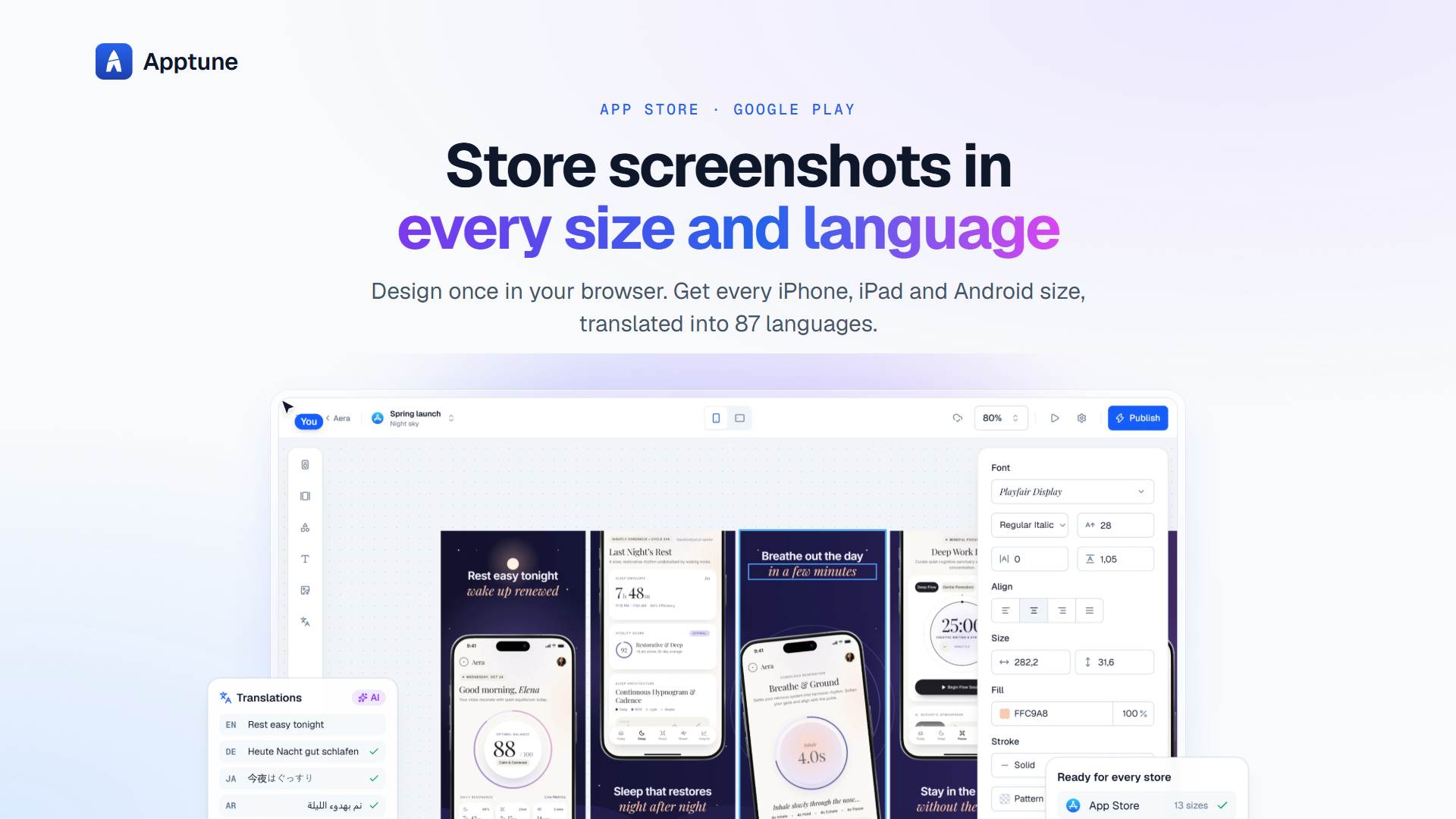
Apptune is a screenshot studio for mobile app stores. It handles the part of a release that usually needs a designer: laying out store screenshots in every required size, translating the captions, and pushing the result to App Store Connect or Google Play. Templates, grids, device frames, and icon libraries do the visual work, and the AI tools cover translation and first-draft layouts.
Apptune suits indie developers shipping without a designer, small studios managing several apps, and ASO specialists who need many localised sets fast.
The Lite tier is free and covers one app, two collections, 200 translations per month, and 2 GB of storage. Pro is about US$19 per month or US$228 per year, covering five apps, all 87 languages, 10,000 translations, ten AI designs, and 25 GB. Studio is about US$49 per month or US$588 per year, covering 25 apps, 40,000 translations, twenty AI designs, client work, one seat plus additional seats at about US$19 each, and 100 GB. A founding discount code takes 30 percent off the first year.
No. Publishing runs from the browser through the store APIs, so the workflow does not depend on a desktop operating system.
Yes. Collections hold shared styles, and each app can override colours, fonts, and frames without affecting the others.
For a single app with a small number of languages, yes. Translation volume and AI design credits are the limits most teams hit first.
Free SEO toolkit with 10 SEO tools for SERP previews, schema, sitemaps, robots.t

Turn GEO SEO content operations into a repeatable system

FullStackSEO researches keywords, creates and publishes SEO articles, and tracks

Answer Distribution Service | Get Your Brand Mentioned
ToolListed is a curated AI tools directory where makers, startups, SaaS founder.

An AI agent that runs your Reddit growth. You just approve.
Submit your product for free with a PickApps badge, or explore priority review and sponsored placement options. All submissions are reviewed.
Submit your product